Before Cumulative Update 1.0.0.12 (November 6, 2026) in Questing Goose Studio's cyberpunk shopkeeping simulator Probably Stolen (Steam AppID 4348910), players could sometimes leave Metal Printing or CNC modules inside the 3D Printer's input or output area and still produce printed hardware. Patch 1.0.0.12 closed that oversight with strict slot boundaries: Metal Printing and CNC modules now operate exclusively from the dedicated module bay and remain completely inactive inside input or output grids.
If your 350¢ 3D Printer suddenly stops processing 4 Metal Ingots and 1 electronic chip overnight after updating, open the printer panel and audit every tile zone. Drag any Metal Printing or CNC module out of the input or output grid, seat it squarely inside the dedicated module bay, and verify that adjacent Powerbloc cells or charged batteries cover nightly energy requirements before closing the shop shutter.
-
UNSLOT
Clear modules from I/O grids
Pull any Metal Printing, CNC, or Turbo chip out of input and output slots.
-
MODULE BAY
Seat upgrades in Module Bay
Slot Metal Printing and CNC modules inside the dedicated module bay.
-
POWER
Verify Powerbloc adjacency
Ensure charged cells or adjacent Powerbloc tiles cover nightly draw.
Alongside module-bay enforcement, Cumulative Update 1.0.0.12 blocked Turbo boosters from being placed in input or output grids altogether. Reserve your input grid strictly for smelting feedstocks and raw parts—such as Metal Ingots and salvaged electronics—while fitting upgrades inside module bay tiles alongside Quality modules (where stacking +250 total quality on one machine unlocks the Cranked to Eleven achievement).
Keep Update 049's broader Machine Bay power and upgrade rules active across surrounding equipment too: place batteries or rigs touching a central 2×2 Powerbloc so adjacency charging runs immediately on Night 1, unlock Powerline Hijack to drop grid overhead, upgrade your Bottle Printer with electronic parts to unlock Normal and Large bottles, and pair the 1.0.0.12 buffed 99.01% stock Water Purifier with uncapped Moisture Farms (fixed beyond 6 L/night) for steady back-room revenue.
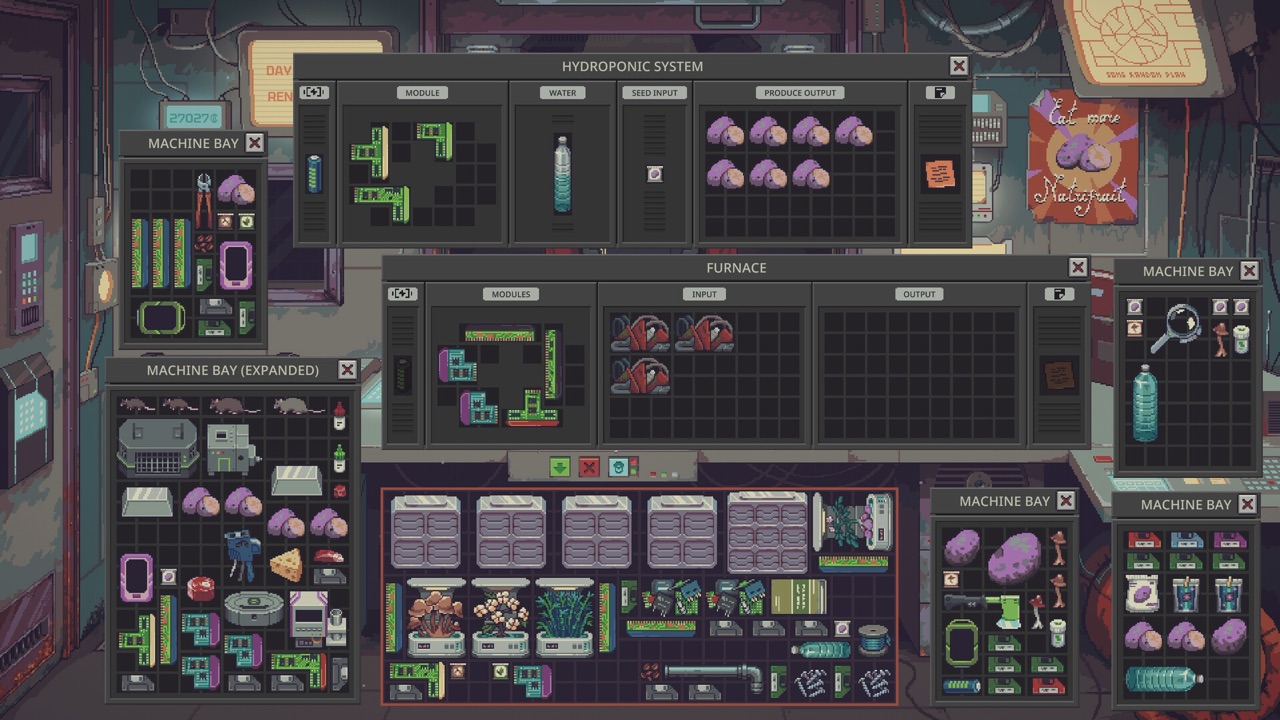
Only modules slotted in the 3D Printer module bay run Metal/CNC jobs.
Input and output grids reject Turbo boosters in Patch 1.0.0.12.
Adjacent batteries charge Night 1; Powerline Hijack cuts grid fees (049).
Patch 1.0.0.12 also overhauled how industrial bays behave when output grids reach capacity across three machines: the Furnace (with a Blast Module installed), the 3D Printer, and the Cryptographic Desequencer. Whenever output inventory fills up on any of these machines without a hopper clearing the bottleneck, finished items now spill directly onto the store floor rather than disappearing.
To keep back-room lines automated without floor clutter, slot an Intake Hopper directly inside the full output grid. In 1.0.0.12, Intake Hoppers in a full output grid carry away overflow cleanly rather than sending it to ship inventory, while both Intake and Outlet Hoppers support custom recoloring so you can color-code smelting, water, and printing bays. Pairing cleanly automated bays with Scav Scanner electronic upgrades and steady crafting helps you cover rising station rent and buy out the store from the landlord.
1.0.0.12 machine output overflow & Intake Hopper routing
- 1. Output Fills Blast Furnace, Printer, or Desequencer fills
- 2. Intake Hopper Recolorable hopper carries overflow away
- 3. No Hopper Excess goods spill into the store